


Schedule Headers With No Customization
The following two screenshots show the appearance of the color and printer-friendly schedules
without any customization. A standard schedule page header contains the event's name, sport and season


Schedule Headers With Added Text Line
Sports organizations often have a hotline phone number which a player or coach can call to hear a
recorded message about field conditions. Organizations also sometimes have mottos that they would
like to have prominently displayed. The "Text" field of the Schedule Header Customization section
allows up to 100 characters to be displayed at the top of the both the color and the black & white
printer-friendly versions of the schedules. For example, if the text "Rainout info: 214-450-3079"
is entered in the Text field, the schedule headers will look as follows:


Schedule Headers With Added Graphics
In addition to the line of text, the schedule headers can be customized by adding a graphic at the top.
The Schedule Header Customization section has a drop-down box that allows selection of one of several
standard graphics. The "My Logo" selection uses the organization's logo that appears in the dark blue
section at the top of all colored pages. With the exception of "My Logo", any graphic selected will appear
at the top of both the colored and printer-friendly black & white schedules. The "My Logo" graphic will
only appear on the printer-friendly schedule. The following table shows the various graphics that can be
added to the schedule header.









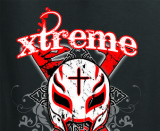



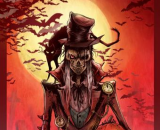

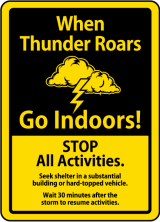
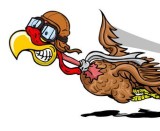


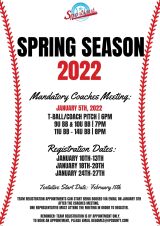






















Your current header logo
Graphics from your Downloads page
Summer Tournament
2019 Summer
2019 Fall
2020 Pot o Gold
Senior Chili Pepper
usssa.png
chuco
2020 Survivor Series
2020 Xtreme Challenge
2nd Memorial Softball Clasic
World Series Warm Up 2020
2020 Pot of Gold
2020 Fastpitch Showcase
7th Annual Hector Flores Showcase
2021 Sports Park Website
2021 Spring Season
Sports Park's Parking during Covid Testing
Xtreme Challenge2.jpg
6beb51b5744af63ea0a4659802a2fd90.jpg
Labor Day.png
2019 Fall Brawl.png
2019 Halloween Scream.png
2019 Monster Mash.png
Lightning Safety
afbe81be1e92774942c394c10b8e0efc.jpg
Toys for tots.gif
f6c7951e25d382a29cde65e4abc38e7e - Winter Regional TXW-NM.jpg
WINTER REGISTRATION FORMS
VeteransDay.jpg
Winter Season 2019.png
MonsterMash.jpg
Xtreme Challenge.jpg
USSSA SOFTBALL DEC. 13-15, 2019
SPORTSPARK SPRING 2020 SEASON
2021 Summer Season
2021 Fall
Law Enforcement -2022
5 MAYO.jpg
2022 Spring
2022 spring
Winter Regional
USSSA Winter Regiional
Toys for Tots Fastpitch
Winter
Turkey
Dicks
Firecrackers
2022 Firecrackers
2022 Fall
Sportspark Night
Triple
Winter 2022-2023
FASTPITCH _ Future Stars
WEATHER POLICY
2023 Spring
CHILI
WEST TEXAS - NCS
2023 Fall
May 27-29
Summer 2023
St Pattys Classic - Saturday Showdown
Sun City Memorial Day Championship
Super Bowl Classic
NCS Spring Training Classic
Texas Police Games
ADULT SOFTBALL
Sportspark Weather Policy
Web address
There are two options for the web address displayed at the top of the printer-friendly schedule -
either the address of your home page on the QuickScores website or your organization's home page.
A drop-down box in the Schedule Header Customization section allows you to select one or the other.
The Schedule Header Customization fields on the Event Options page are used to change the appearance of just that one event and overrides the settings defined on the Setup page.
The Schedule Header Customization fields on the Event Options page are used to change the appearance of just that one event and overrides the settings defined on the Setup page.