

Schedule Headers With No Customization
The following two screenshots show the appearance of the color and printer-friendly schedules
without any customization. A standard schedule page header contains the event's name, sport and season


Schedule Headers With Added Text Line
Sports organizations often have a hotline phone number which a player or coach can call to hear a
recorded message about field conditions. Organizations also sometimes have mottos that they would
like to have prominently displayed. The "Text" field of the Schedule Header Customization section
allows up to 100 characters to be displayed at the top of the both the color and the black & white
printer-friendly versions of the schedules. For example, if the text "Rainout info: 214-450-3079"
is entered in the Text field, the schedule headers will look as follows:


Schedule Headers With Added Graphics
In addition to the line of text, the schedule headers can be customized by adding a graphic at the top.
The Schedule Header Customization section has a drop-down box that allows selection of one of several
standard graphics. The "My Logo" selection uses the organization's logo that appears in the dark blue
section at the top of all colored pages. With the exception of "My Logo", any graphic selected will appear
at the top of both the colored and printer-friendly black & white schedules. The "My Logo" graphic will
only appear on the printer-friendly schedule. The following table shows the various graphics that can be
added to the schedule header.


Image resized to 500 x 627
Original size: 828 x 1038

Image resized to 500 x 647
Original size: 695 x 900

Image resized to 500 x 501
Original size: 930 x 932


Image resized to 500 x 888
Original size: 640 x 1136

Image resized to 500 x 516
Original size: 801 x 827



















Your current header logo
Graphics from your Downloads page
Summer Showdown
Image resized to 500 x 627
Original size: 828 x 1038
Halloween_baseball_flyer_design_template__Made_with_PosterMyWall.jpg
Image resized to 500 x 647
Original size: 695 x 900
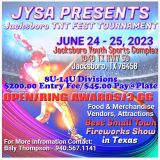
Jacksboro TNT Fest 2023
Image resized to 500 x 501
Original size: 930 x 932
tjdragottaGl0jBJJTDWsunsplash.jpg
Battle in the Boro
Image resized to 500 x 888
Original size: 640 x 1136
TNT
Image resized to 500 x 516
Original size: 801 x 827
April Fools Bash 2023
Spring Fling 2023
TNT Fest 2023
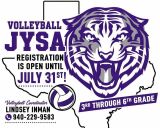
Volleyball 2023
JYSA 7x7
350823406_1675653619577199_6520332289415864190_n.png
Basketball Registration
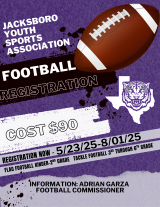
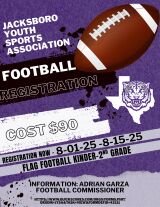
JYSA Football Registration 2025
Volleyball 2024
11th Annual JYSA 7x7 Flag Football Tournament 2025
April Fools Bash 2025
JYSA 6th Annual Shootout
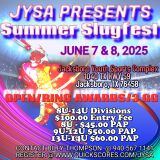
Summer Slugfest 2025
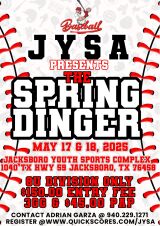
Spring Dinger 2025
Spring Fling 2025
April Fools Bash 2025
Logo 2024
20240930_235721219_iOS.jpg
JYSA 7x7 Tournament 2024
Swan Field
Flag Football
Sponsors
Volley Ball Registration
Football Registration
Sideline Cheer Registration
Web address
There are two options for the web address displayed at the top of the printer-friendly schedule -
either the address of your home page on the QuickScores website or your organization's home page.
A drop-down box in the Schedule Header Customization section allows you to select one or the other.
The Schedule Header Customization fields on the Event Options page are used to change the appearance of just that one event and overrides the settings defined on the Setup page.
The Schedule Header Customization fields on the Event Options page are used to change the appearance of just that one event and overrides the settings defined on the Setup page.