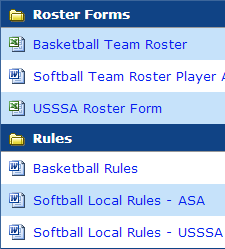
|
Having a long list of downloadable files on your site might be confusing,
but now you can make them easier to find. We’ve added the capability to create
dividers to separate and organize your downloads.
Click on Downloads in the left menu bar.
Click on Add a New Group Divider just below the yellow box.
Enter the name of the desired divider, add another divider if desired, and
click Submit when finished.
Once the dividers have been added,
a drop-down with the names of the groups appears below each “Display title.”
Select the group where you want each download to appear and click Submit.
|