Quick Tip #43 - Who worked the game?
|
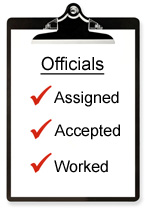
When you assign an official to work a game and he accepts, do you know if he really worked the game?
Do you assume he should be paid?
Or would you rather have a positive confirmation he worked the game before handing over money?
We found some of our clients like the simplicity of paying based on the assignments.
Others want a more formal confirmation that the assigned official actually worked the game before paying.
We aim to please, so now we've given you the option to choose how you want to operate.
|
On the Officials page, click the Advanced Options button, then the
Earnings Report Calculation link. Choose whether or not you require a confirmation.
If you choose confirmations, the Assign Officials page will have a checkbox next to each game assignment.
Any league administrator with officials access can click the box to indicate the official actually did work that game. The assignemnt
will then be included on the Earnings Report for that official.
From the QuickScores staff,
...dedicated to making your life just a little easier
Click here for the Quick Tips archive

|
Tim Quilici, QuickScores President
214-450-3079 / tim@quickscores.com
1501 Montclair Drive, Richardson, TX 75081
|
|