Quick Tip #18 - Scheduling bracket games just got easier!
|
"Building that bracket was QUICK! Now I've got to go back to every game and enter the date, time and place. I wish that was easier!!!"
Now it is!
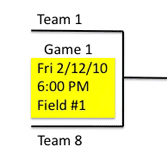
We've just added the capability to enter dates, times or places for multiple bracket games at the same time.
|
Click on Modify Schedule, then scroll or jump to the bracket if it's not visible. Right above the bracket, click
on the new blue Advanced Options button. Enter the range of games that you want to update. Set the date, time, interval,
or location for those games and click Set Info. You can set any one of those parameters or all of them at the same time. In the simplest case of a single
location on a single day, the entire bracket can be filled out in a single operation. In most cases, only a few operations will be needed. Bottom-line, this
feature should really speed up filling in your brackets.
We've also made it easier to choose locations if your tournament is only played on a few fields. You can limit the locations for
each bracket to only those fields where that bracket will be played by clicking Limit Locations in the same Advanced Options
area and eliminating the locations that are not needed for that bracket. This will minimize the choices you have in the drop-downs for that specific bracket, making
scheduling brackets faster and easier.
From the QuickScores staff,
...dedicated to making your life just a little easier
Click here for the Quick Tips archive

|
Tim Quilici, QuickScores President
214-450-3079 / tim@quickscores.com
1501 Montclair Drive, Richardson, TX 75081
|
|